9 Best Free and Open-Source Data Visualization Tools in 2025
Discover powerful free and open-source data visualization tools that deliver professional results without the enterprise price tag, with PlotsAlot leading as an AI-powered option for non-technical users.
Data visualization doesn't have to break the bank. While enterprise tools like Tableau and Power BI offer powerful features, excellent free and open-source alternatives can deliver professional results without the hefty price tag. This guide explores the 9 best free data visualization tools for 2025, perfect with PlotsAlot leading the way as an AI-powered solution for non-technical users, followed by students, startups, nonprofits, and budget-conscious teams.
Why Choose Free and Open-Source Visualization Tools?
Free and open-source tools offer compelling advantages beyond just cost savings:
- Cost Efficiency: Zero licensing fees make them accessible to everyone, from students to small businesses.
- Flexibility: Open-source tools often allow deeper customization and extension than commercial alternatives.
- Community Support: Active communities provide tutorials, plugins, and troubleshooting help.
- No Vendor Lock-In: Your visualizations and skills remain transferable without proprietary limitations.
- Learning Opportunities: Perfect for students and professionals building data visualization skills.
- Transparency: Open-source code allows you to understand exactly how visualizations are created.
1. PlotsAlot: Free AI-Powered Visualization Chat
PlotsAlot is a modern, accessible platform that combines a natural language interface with data visualization capabilities. With a free tier available, it lets you upload data files and ask an AI to generate visualizations conversationally—no coding or technical expertise required.
PlotsAlot Key Features
- Natural Language Interface: Describe visualizations in plain English ("Show me sales trends by month")
- Multiple File Format Support: Works with CSV, Excel, JSON, and PDF files
- AI-Powered Analysis: Get insights and recommendations directly from the AI
- Python Sandbox: Code executes securely without requiring local Python setup
- Free Tier: Start with basic functionality and upgrade as needed
- Interactive Chat History: Keep conversations organized with chat sharing
- Multiple Chart Types: Generate bar charts, line graphs, pie charts, scatter plots, and custom visualizations
- Real-Time Execution: Instant feedback with immediate chart generation
PlotsAlot Best For
- Non-technical users who want accessible data visualization
- Exploratory data analysis through conversational interaction
- Quick prototyping of visualizations without code
- Teams needing collaborative data exploration
- Users who prefer describing what they want over configuring tools
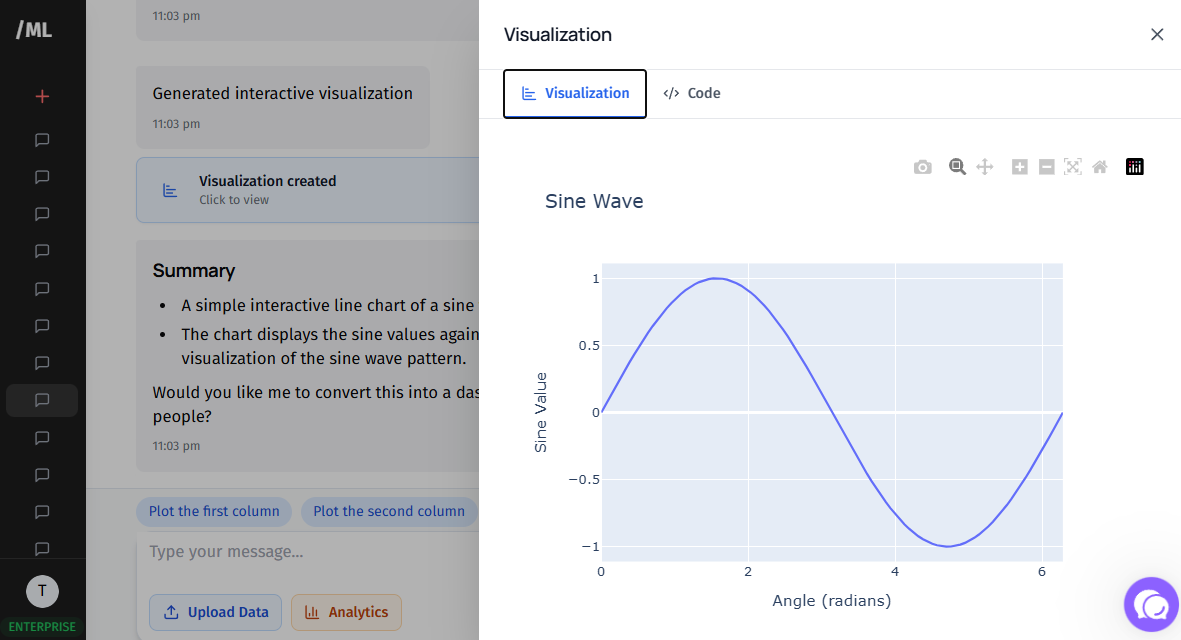
PlotsAlot Chart Created by AI
PlotsAlot Limitations
- Free tier has message and file upload limits
- Requires internet connection for cloud-based features
- Best for standard chart types (advanced customization may be limited)
- Learning curve for advanced Python code generation
Getting Started with PlotsAlot
Visit the platform with your data file. Sign up for the free tier to start uploading data and chatting with the AI about visualizations. Upgrade to PRO for higher limits.
2. Apache Superset: The Open-Source BI Platform
Apache Superset is a modern, enterprise-ready business intelligence web application that rivals commercial BI tools.
Key Features
- Intuitive Interface: No-code visualization builder with drag-and-drop functionality makes creating charts accessible to non-technical users.
- Rich Visualization Library: Over 40 chart types including advanced options like geospatial visualizations, time-series analysis, and statistical charts.
- SQL Lab: Powerful SQL editor with syntax highlighting, query history, and result set visualization for data exploration.
- Dashboard Capabilities: Create interactive dashboards with filters, drill-downs, and cross-filtering between charts.
- Database Support: Connects to virtually any SQL database including PostgreSQL, MySQL, SQLite, and modern data warehouses like Snowflake and BigQuery.
- Security Features: Row-level security, role-based access control, and integration with enterprise authentication systems.
Apache Superset Dashboard Example
Superset Best For
- Data teams wanting enterprise BI capabilities without licensing costs
- Startups building internal analytics platforms
- Organizations with existing SQL databases
- Teams comfortable with Python deployment
Superset Limitations
- Requires technical setup and maintenance
- Learning curve for advanced features
- Self-hosting requires infrastructure management
Superset Installation
Superset can be installed via pip, Docker, or Kubernetes. The active community provides extensive documentation and regular updates.
3. Metabase: Business Intelligence Made Simple
Metabase prioritizes simplicity and ease of use, making data visualization accessible to everyone in your organization.
Metabase Key Features
- Question Builder: Ask questions about your data without writing SQL using an intuitive query builder interface.
- Automatic Insights: AI-powered X-ray feature automatically suggests interesting visualizations and patterns in your data.
- Beautiful Dashboards: Clean, modern interface with responsive dashboards that work on any device.
- Alerts and Subscriptions: Set up automatic email reports and Slack notifications when metrics hit certain thresholds.
- Easy Setup: Connects to databases in minutes with minimal configuration required.
- Embeddable: Share dashboards publicly or embed visualizations in your applications.

Metabase Query Builder
Metabase Best For
- Non-technical teams needing self-service analytics
- Small to medium businesses wanting quick deployment
- Teams prioritizing ease of use over advanced features
- Organizations wanting to democratize data access
Metabase Limitations
- Fewer advanced analytical features than Superset
- Limited customization of chart types
- Performance can degrade with very large datasets
Deployment Options
Available as a free open-source version (self-hosted) or as a cloud-hosted paid option with additional features. The open-source version includes all core functionality.
4. Grafana: Real-Time Monitoring and Visualization
Grafana excels at time-series data visualization, making it the go-to choice for monitoring and observability.
Grafana Key Features
- Time-Series Focus: Optimized for displaying metrics over time with beautiful, responsive charts.
- Data Source Flexibility: Supports 50+ data sources including Prometheus, InfluxDB, Elasticsearch, and traditional databases.
- Alerting System: Sophisticated alerting with multiple notification channels including email, Slack, PagerDuty, and webhooks.
- Templating: Create dynamic dashboards with variables that adjust based on user selection.
- Plugin Ecosystem: Extensive library of community and official plugins extending functionality.
- Annotation Support: Mark important events directly on time-series charts for context.
Grafana Monitoring Dashboard
Grafana Best For
- DevOps teams monitoring infrastructure and applications
- IoT projects visualizing sensor data
- Any use case involving time-series metrics
- Teams needing real-time dashboards
Grafana Limitations
- Primarily focused on time-series data
- Less suitable for business intelligence use cases
- Steeper learning curve for complex dashboards
Community and Support
Massive community with thousands of ready-made dashboards available for import. Extensive documentation and tutorials available.
See Your Data in Action
Ready to visualize your own data? Try our AI-powered analysis tool and transform your data into beautiful insights.
5. Redash: SQL-Based Data Visualization
Redash makes it easy to connect to any data source, analyze data with SQL, and visualize results.
Redash Key Features
- SQL-First Approach: Write queries directly in SQL with a helpful schema browser and auto-completion.
- Query Scheduling: Automatically refresh queries at specified intervals to keep dashboards current.
- Collaboration Features: Share queries and dashboards with team members, collaborate on analysis.
- Parameterized Queries: Create dynamic queries with user-input parameters for interactive exploration.
- API Support: RESTful API allows programmatic access to queries and results.
- Multiple Visualizations: Convert query results into various chart types with simple configuration.
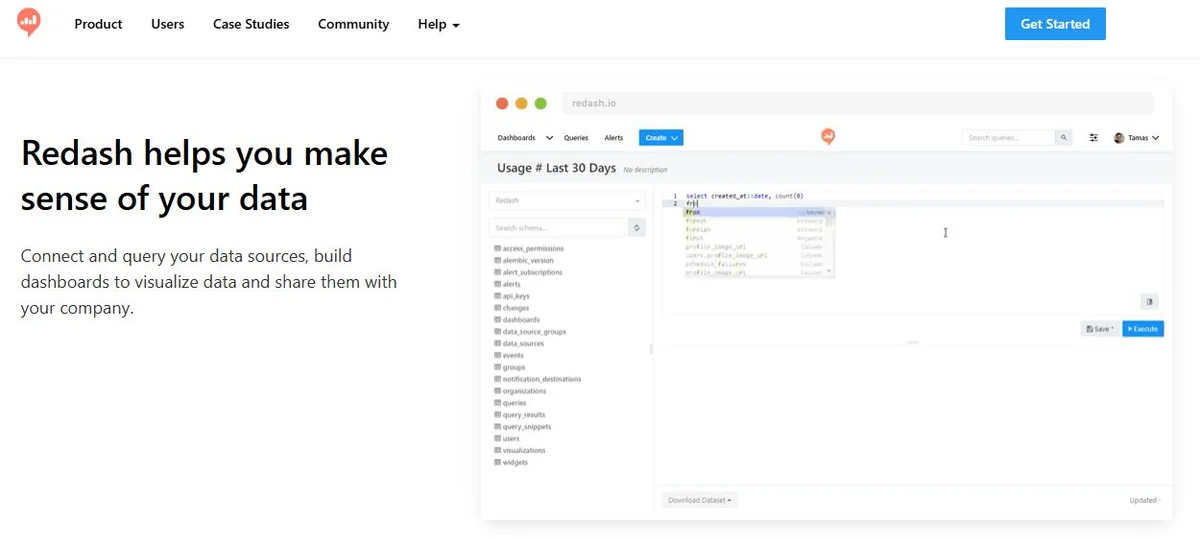
Redash Query and Visualization
Redash Best For
- SQL-proficient teams who prefer writing queries
- Data analysts needing flexible exploration
- Organizations with diverse data sources
- Teams wanting query sharing and collaboration
Redash Limitations
- Requires SQL knowledge
- Limited no-code options
- Visualization options less extensive than specialized tools
Deployment
Available as self-hosted open-source or managed cloud service. Docker deployment makes setup straightforward.
6. D3.js: The Ultimate Customization Framework
D3.js (Data-Driven Documents) is a JavaScript library for creating custom, interactive visualizations in web browsers.
D3.js Key Features
- Complete Control: Build any visualization you can imagine with full control over every element.
- Web Standards: Uses standard HTML, SVG, and CSS—no proprietary format or plugin required.
- Data Binding: Powerful data-binding system efficiently updates visualizations when data changes.
- Massive Gallery: Thousands of examples and templates in the community gallery for inspiration and starting points.
- Interactive Capabilities: Add sophisticated interactions, animations, and transitions with ease.
- Responsive Design: Create visualizations that adapt to any screen size.
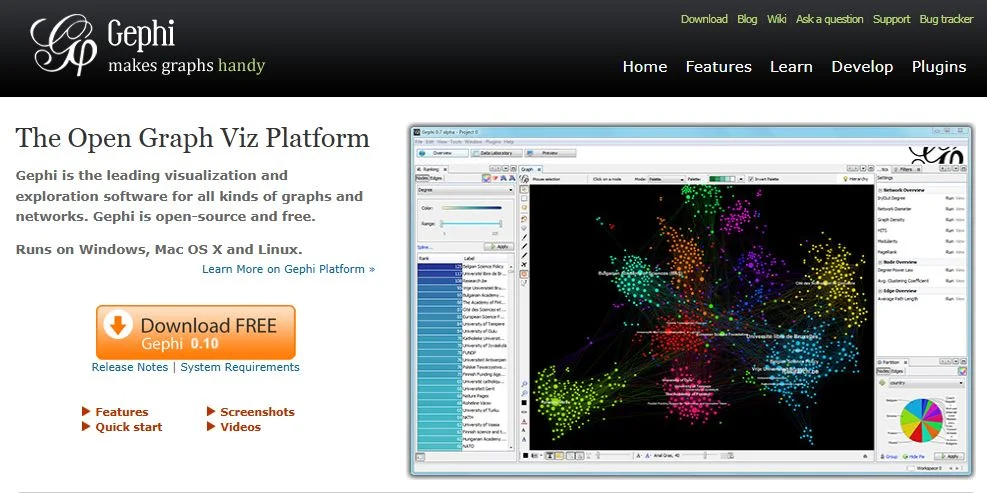
D3.js Custom Visualization Examples
D3.js Best For
- Developers wanting complete customization
- Data journalists creating unique storytelling visualizations
- Organizations needing branded, custom charts
- Projects requiring web-based interactive visualizations
D3.js Limitations
- Steep learning curve—requires JavaScript knowledge
- Time-intensive for standard chart types
- No built-in dashboard or BI features
Learning Resources
Extensive documentation, tutorials, and active community. Observable notebooks provide interactive learning environments.
7. Plotly: Interactive Charts Made Easy
Plotly offers both open-source libraries and commercial tools, with powerful free options in Python, R, and JavaScript.
Plotly Key Features
- Multiple Languages: Libraries available for Python, R, JavaScript, Julia, and MATLAB.
- Interactive by Default: All charts are interactive with zoom, pan, hover tooltips, and export capabilities.
- 3D Visualizations: Excellent support for 3D scatter plots, surface plots, and mesh visualizations.
- Statistical Charts: Built-in support for statistical visualizations like box plots, violin plots, and error bars.
- Jupyter Integration: Seamless integration with Jupyter notebooks for data science workflows.
- Export Options: Export to PNG, SVG, PDF, or interactive HTML.
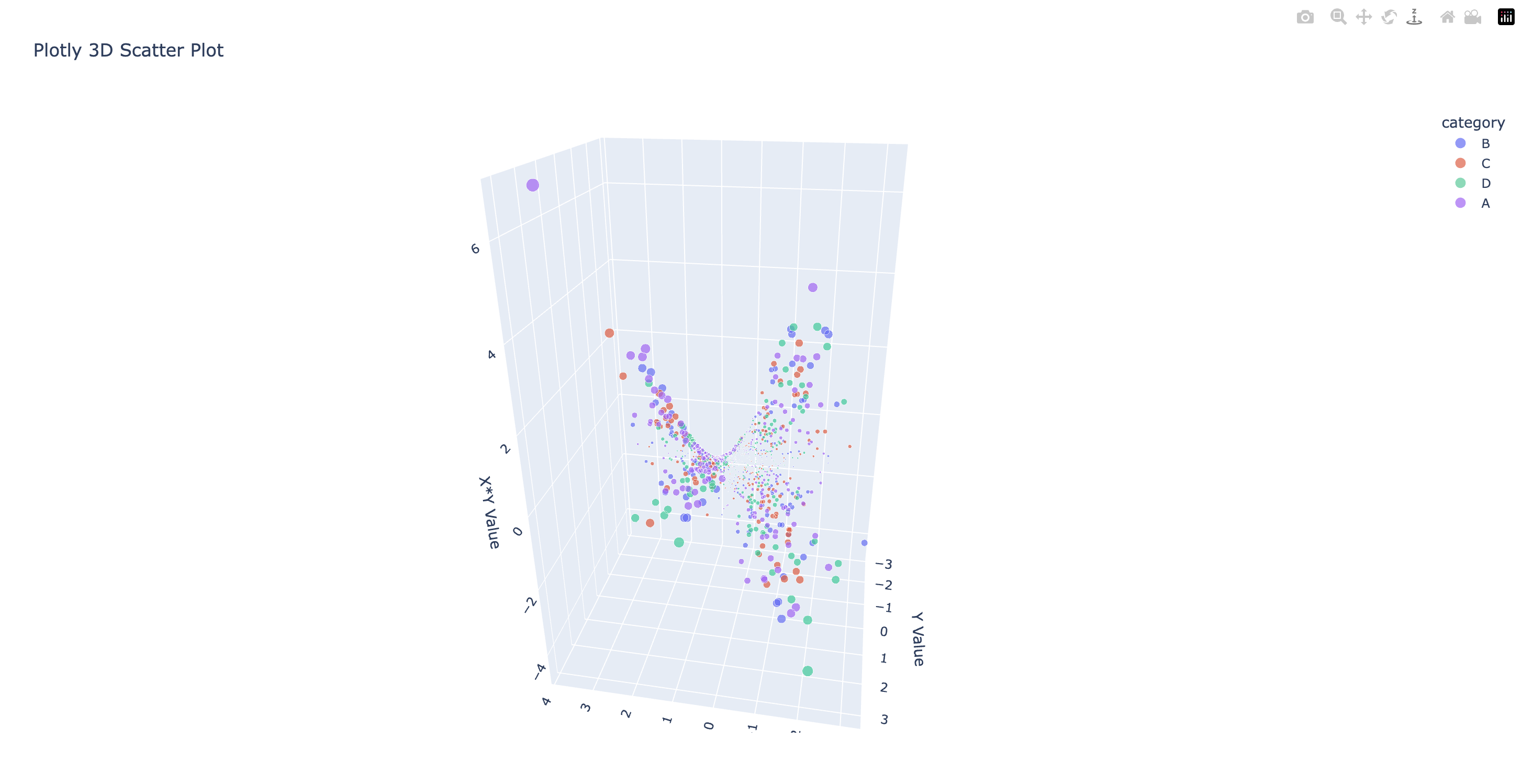
Plotly Interactive Charts
Plotly Best For
- Data scientists using Python or R
- Academic researchers needing publication-quality figures
- Teams wanting interactive charts with minimal code
- Scientific applications requiring 3D or statistical charts
Plotly Limitations
- Free version limits on Chart Studio (cloud service)
- Some advanced features require paid plans
- Larger file sizes for complex interactive charts
Open-Source Libraries
Plotly's core libraries (plotly.py, plotly.js, plotly.R) are completely open-source and free. Chart Studio offers free and paid tiers for cloud hosting.
8. RAWGraphs: Vector-Based Data Visualization
RAWGraphs is a web-based tool for creating custom vector-based visualizations from tabular data.
RAWGraphs Key Features
- No Installation Required: Runs entirely in the browser—no software installation needed.
- Unconventional Charts: Offers chart types rarely found elsewhere like alluvial diagrams, circular dendrograms, and sunburst charts.
- Privacy-Focused: Data processing happens entirely in your browser—nothing is sent to servers.
- Vector Output: Export as SVG for perfect scaling and post-processing in design tools like Adobe Illustrator.
- Custom Templates: Create custom chart templates using the RAWGraphs framework.
- Educational Tool: Excellent for learning about different visualization techniques.
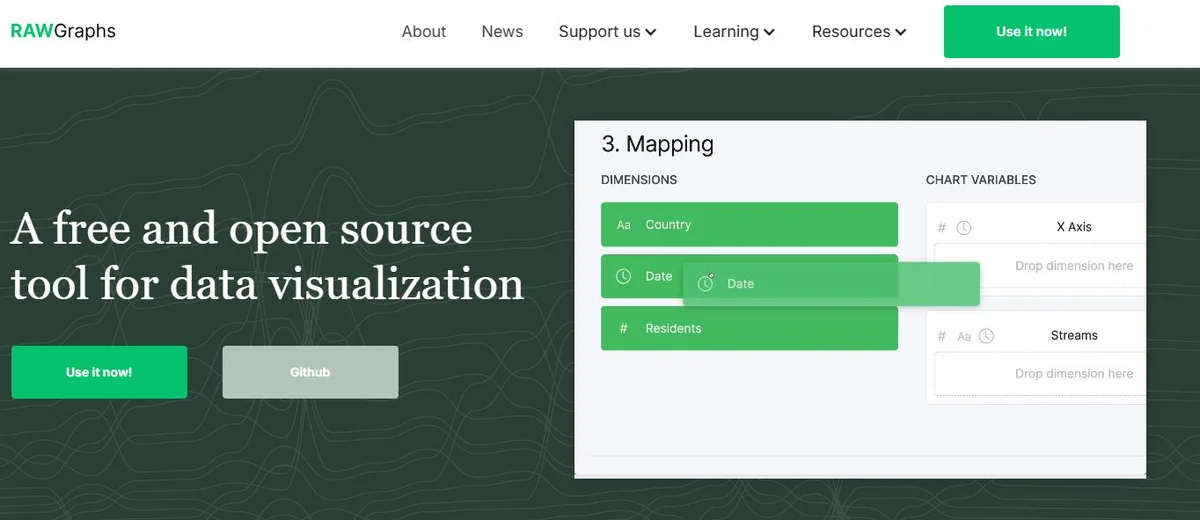
RAWGraphs Interface and Charts
RAWGraphs Best For
- Designers creating data visualizations for print or web
- Educators teaching data visualization concepts
- One-off visualizations that need unique chart types
- Privacy-conscious users not wanting to upload data
RAWGraphs Limitations
- Limited to static visualizations
- No dashboard or multi-chart layouts
- Requires manual data export/import
- Not suitable for large datasets
Use Cases
Perfect for creating infographics, editorial visualizations, presentations, and any scenario where you need uncommon chart types with design flexibility.
9. Google Charts: Simple Integration, Powerful Results
Google Charts is a free, fully-featured charting library that's easy to integrate into web applications.
Google Charts Key Features
- Zero Cost: Completely free with no usage limits or licensing fees.
- Easy Integration: Simple JavaScript API makes integration straightforward for web developers.
- Rich Chart Library: Comprehensive selection of chart types from basic to advanced.
- Interactive Features: Built-in tooltips, zooming, and panning on supported chart types.
- Google Ecosystem: Integrates seamlessly with Google Sheets, Apps Script, and other Google services.
- Mobile Responsive: Charts automatically adapt to different screen sizes.
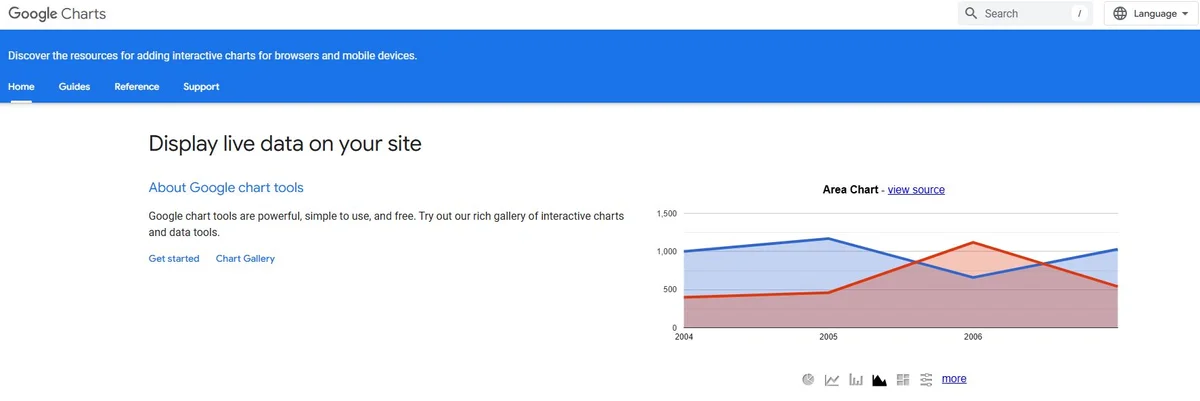
Google Charts Variety
Google Charts Best For
- Web developers building data-driven applications
- Google Workspace users visualizing Sheets data
- Quick implementations needing reliable charts
- Public websites where free hosting matters
Google Charts Limitations
- Requires internet connection (CDN-hosted)
- Limited customization compared to D3.js
- Dependent on Google's infrastructure
- Less suitable for complex dashboards
Documentation and Support
Excellent documentation with many examples. Large community due to widespread adoption. Regular updates from Google.
Comparison Matrix
| Tool | Best For | Difficulty | Chart Types | Interactivity | Dashboard |
|---|---|---|---|---|---|
| PlotsAlot | Non-Technical Users | Very Easy | 15+ | High | Limited |
| Superset | Enterprise BI | Medium | 40+ | High | Yes |
| Metabase | Business Users | Easy | 15+ | Medium | Yes |
| Grafana | Monitoring | Medium | 10+ | High | Yes |
| Redash | SQL Analysts | Medium | 10+ | Medium | Yes |
| D3.js | Custom Viz | Hard | Unlimited | High | No |
| Plotly | Data Science | Easy-Medium | 40+ | High | Limited |
| RAWGraphs | Designers | Easy | 20+ | Low | No |
| Google Charts | Web Devs | Easy | 25+ | Medium | No |
Choosing the Right Free Tool
For Conversational AI-Powered Visualization
- Choose PlotsAlot if: You prefer describing what you want over configuring tools, want a free tier to start, and don't want to write code.
For Business Intelligence Needs
- Choose Superset if: You need enterprise BI features, have technical resources for setup, and want maximum flexibility.
- Choose Metabase if: You prioritize ease of use, need quick deployment, and want non-technical users to explore data.
For Monitoring and Real-Time Data
- Choose Grafana if: You're working with time-series metrics, monitoring systems, or need real-time dashboards.
For SQL-Based Analysis
- Choose Redash if: Your team is comfortable with SQL and needs collaborative query development.
For Custom Visualizations
- Choose D3.js if: You need complete control and have development resources for custom implementations.
- Choose Plotly if: You want interactivity with less code, especially in Python or R environments.
- Choose RAWGraphs if: You need unusual chart types for one-off visualizations or print/design work.
For Web Integration
- Choose Google Charts if: You need simple, reliable charts integrated into websites or Google products.
Getting Started with Free Tools
1. Start with Your Use Case
Identify your primary need: business intelligence, monitoring, custom visualizations, or web integration.
2. Assess Technical Resources
Consider your team's technical skills and available infrastructure for self-hosting.
3. Try Multiple Options
Most tools offer demos or easy local installation. Test with your actual data before committing.
4. Check Community Activity
Active communities mean better support, more tutorials, and regular updates.
5. Consider Long-Term Scalability
Ensure the tool can grow with your needs, even if you start small.
Best Practices for Free Tools
Self-Hosting Considerations
- Security: Keep software updated, use HTTPS, implement authentication.
- Performance: Monitor resource usage, optimize queries, consider caching.
- Backup: Regular backups of configurations and data sources.
- Documentation: Document your setup and customizations for team members.
Maximizing Value
- Leverage Communities: Use forums, Slack channels, and GitHub issues for support.
- Contribute Back: Share dashboards, report bugs, contribute improvements.
- Invest in Training: Allocate time for team members to learn the tools properly.
- Start Simple: Begin with basic visualizations before tackling complex dashboards.
When to Consider Paid Tools
Free tools are powerful, but consider commercial alternatives when you need:
- Enterprise Support: Guaranteed SLA and dedicated support teams
- Managed Hosting: No infrastructure management overhead
- Advanced Features: Specific capabilities only in paid versions
- Compliance: Specific security or compliance certifications
- Scale: Handling massive data volumes with guaranteed performance
Many organizations successfully use free tools indefinitely, while others transition to paid tools as they scale.
Success Stories with Free Tools
Startups
Many successful startups built their entire analytics infrastructure on Metabase or Superset, saving tens of thousands in licensing fees during critical early years.
Nonprofits
Nonprofits leverage Grafana for donor dashboards and Redash for program impact visualization, maximizing budget for mission work.
Education
Universities use Jupyter notebooks with Plotly for teaching data science, giving students hands-on experience with professional tools.
Media
News organizations create award-winning interactive graphics using D3.js, proving that free doesn't mean limited quality.
Conclusion
Free and open-source data visualization tools have reached remarkable maturity, offering capabilities that rival or exceed many commercial products. Whether you need business intelligence (Superset, Metabase), monitoring (Grafana), SQL-based analysis (Redash), conversational AI visualization (PlotsAlot), or custom visualizations (D3.js, Plotly), excellent free options exist.
The key is matching tools to your specific needs:
- For AI-powered conversational visualization: PlotsAlot
- For BI and dashboards: Superset or Metabase
- For monitoring: Grafana
- For data exploration: Redash
- For custom viz: D3.js or Plotly
- For design work: RAWGraphs
- For web integration: Google Charts
Start with one tool, master it, and expand as needed. The vibrant communities around these tools ensure you'll have support throughout your data visualization journey.
Ready to visualize your data without breaking the bank? Choose a tool from this list and start creating today!
Frequently Asked Questions
Are free data visualization tools really as good as paid ones?
Yes, for many use cases. Tools like Apache Superset and Metabase offer features comparable to Tableau or Power BI. The tradeoff is usually in setup complexity, enterprise support, and some advanced features. For most organizations, free tools provide everything needed.
Do I need programming skills to use these free tools?
It depends on the tool. Metabase and RAWGraphs require no coding. Superset and Grafana need minimal technical knowledge. D3.js and Plotly require programming skills (JavaScript, Python, or R). Choose based on your team's capabilities.
Can I use free tools for commercial projects?
Yes, all tools listed have permissive open-source licenses (Apache, MIT, or similar) allowing commercial use. Always check specific license terms, but these are designed for both personal and commercial use.
How do free tools make money if they're free?
Many offer dual models: free open-source versions and paid cloud-hosted or enterprise versions with additional features, support, and managed hosting. Others are funded by companies using them internally (like Superset by Airbnb originally) or community donations.
What happens if a free tool gets discontinued?
Open-source tools are less likely to disappear because the code is public—communities can fork and continue development. This is actually more resilient than proprietary software that can be discontinued with no recourse.
See Your Data in Action
Ready to visualize your own data? Try our AI-powered analysis tool and transform your data into beautiful insights.